


A free, open-source utility client and external overlay supporting 1.8.9 (Forge), 1.21.x, 26.1, and 26.2 (Fabric) - on both Lunar Client and standalone Minecraft instances.
Every module aoko ships, grouped by subsystem. Expand a row for details.
Automated targeting with configurable CPS, swing & attack ranges, FOV, auto-block, and smooth rotation noise.
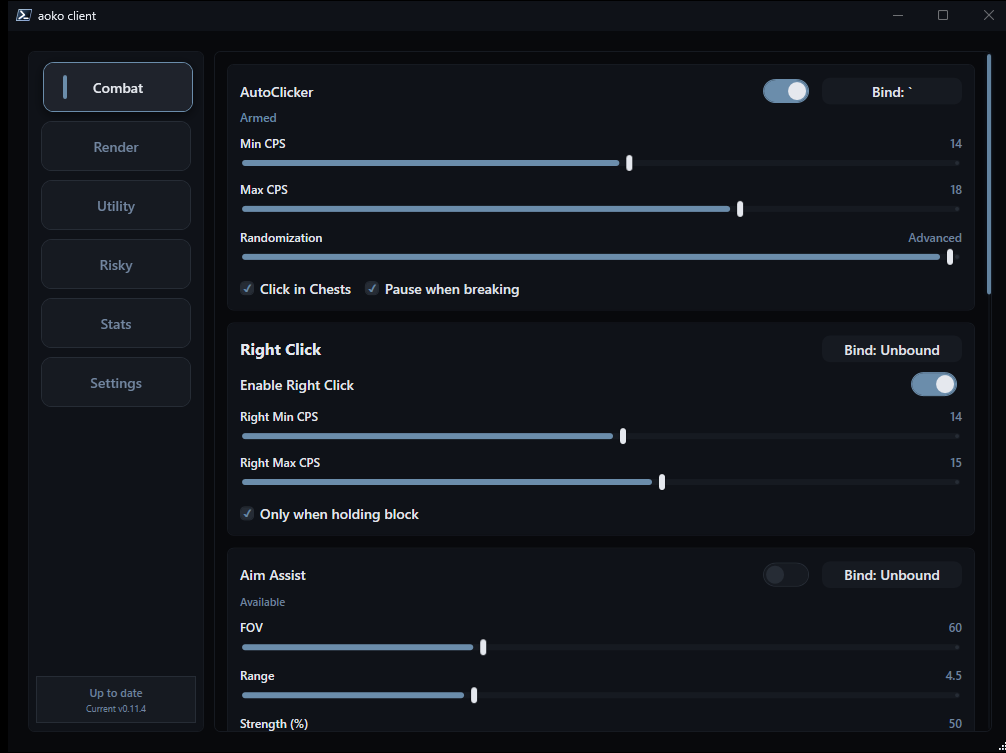
LMB/RMB with configurable CPS range, jitter, block-only mode, and GUI/chest safety checks.
Adjustable FOV, targeting range, and smoothing strength for on-target correction.
Crosshair-gated firing with a cooldown threshold and hit-chance controls.
Auto/forced hotbar selection with one-use action bind and exact previous slot restoration.
Instantly throws the first healing splash potion in your hotbar via action bind and restores your slot.
Automatically throws a healing splash potion when your health drops below a configurable threshold.
Reach extender with a tunable range and hit-chance gate.
Knockback dampener with horizontal / vertical percentages and hit-chance.
Ghost (inventory-only) and anarchy modes, health threshold, and elytra switch.
Edge sneak assist with block-only, hold-sneak, looking-down, and safety timing controls.
Scans matching floor tile colors and assists pathing in PixelParty / BlockParty rounds.
Player tags detailing health, armor tier, and held items.
On-screen panel showing direction, exact distance, and equipment of the nearest player.
Shows recent fight health and damage status in-game.
Chest highlighting through walls with count limits and distance culling.
Highlights configured block types through terrain for quick scanning.
Highlights player beds with in-world bounding boxes and distance indicators.
Configurable in-game module list (default, minimal, outlined, glass, bold), logo, and in-game HUD positioning editor.
Moves healing potions and golden apples from backpack into empty hotbar slots while your inventory is open.
Auto weapon swap on hover, optimal block mining tool selection, and Bedwars mode.
External cursor-based stealer with menu checks that empties containers fast.
Hides Blindness and Nausea client-side, plus Darkness on 1.21.x / 26.1 / 26.2.
Replaces your in-game username with a custom alias locally via native JVMTI string filtering.
Removes 1.8.9 attack cooldown delays for responsive hits.
Reads Guess-The-Build hints and lists candidate words in an overlay.
Live state, version, and active module count surfaced through Discord Rich Presence.
How the loader and native bridge talk to the game.
javaw.exeSwapBuffersInjecting into a running world is recommended so every module initializes.
Aoko.exe.Open-source build for Windows x64.
# or build from source - see README.md