SUPPORTED: LUNAR CLIENT 1.8.9, 1.21.x, AND 26.1

LEGOCLICKER

A vibrant external control center for Lunar Client.
Built for 1.8.9, 1.21.x, and 26.1.

1.8.9SUPPORTED
1.21.xSUPPORTED
26.1SUPPORTED
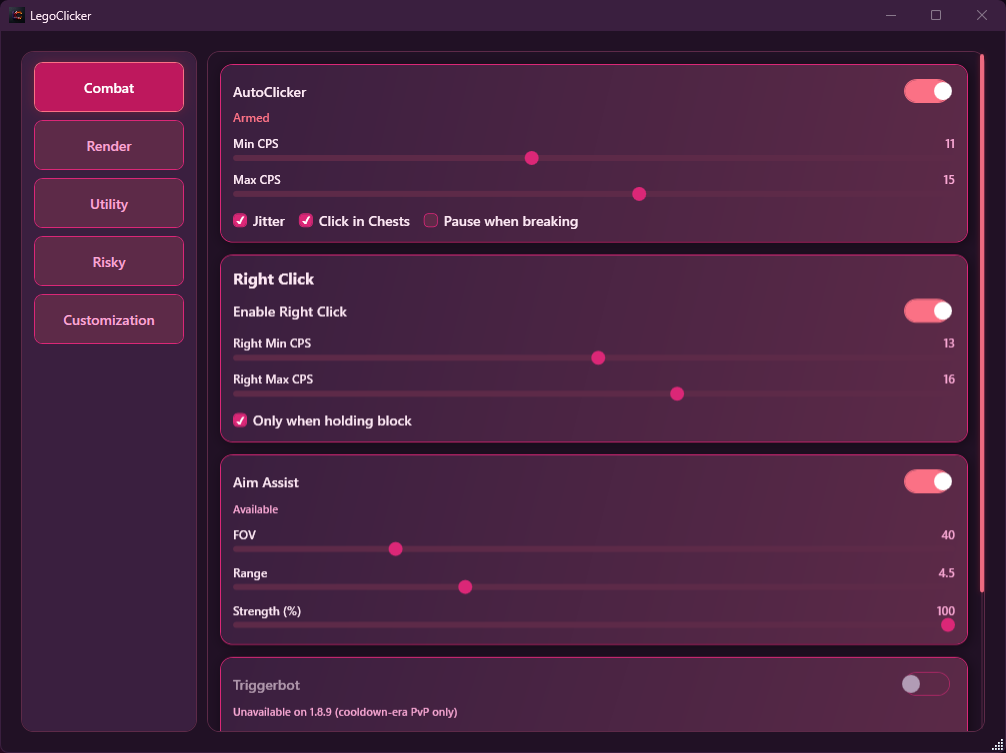
LegoClicker control center preview

Features

Current modules and controls

Combat
AutoClicker` (backtick)
Left and right click with configurable CPS, jitter, block-only mode, and GUI/chest safety checks.
LMBRMBBlock-OnlyCPS Jitter
Aim Assist
Assist module with adjustable FOV, range, and strength.
FOVRangeStrength
Triggerbot
Crosshair-based triggerbot with cooldown threshold and hit chance controls.
CrosshairCooldownChance
Reach + Velocity
Additional combat settings.
ReachVelocityChance
👁 Render
Nametags
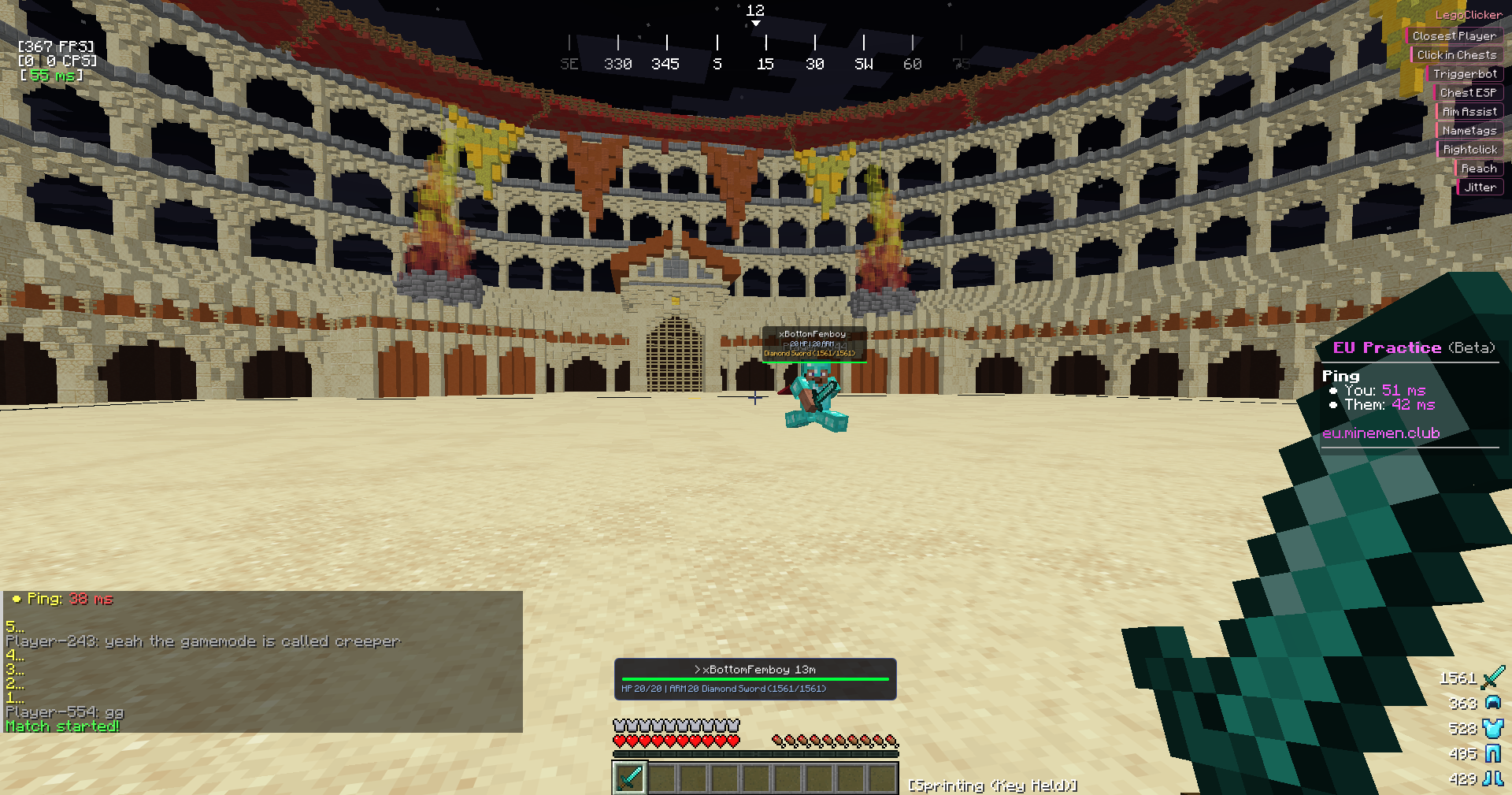
Player tags with health, armor, held item, and configurable limits.
Health BarArmorChroma
Closest Player HUD
Nearest-player panel with direction, distance, health, armor, and held item.
Distance4-Way ArrowHeld Item
Chest ESP
Chest highlighting with count limits and distance culling.
Through WallsNearest PriorityCapped Render
GUI / Misc
Version-Aware Module Gating
Modules and controls are enabled based on bridge capabilities for 1.8.9, 1.21.x, and 26.1.
CapabilitiesVersion SyncSafe Defaults
External Control Center
Main GUI with combat, render, keybinds, and customization tabs.
External UIModule SwitchesKeybind UI
GUI Customization
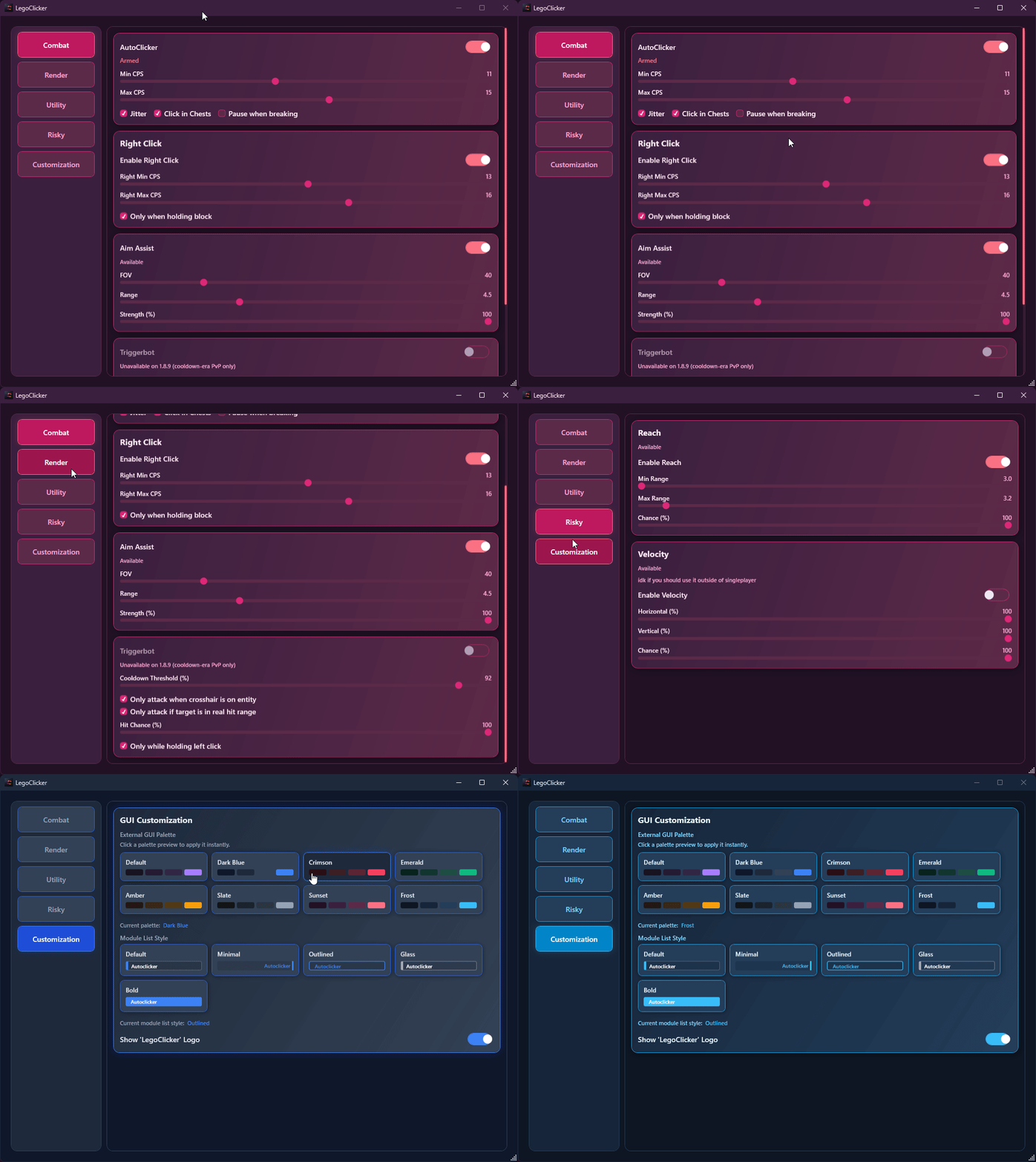
Palette previews, module-list style previews, logo toggle, and full theme propagation across controls.
PalettesModule StylesSaved
Profiles + Keybinds
Settings and keybinds are saved to %AppData%\LegoClicker\profiles\.
JSONAuto-savePer-module keys
GTB Helper
Reads GTB hints and shows candidate words in an overlay list.
HypixelHint SolverIn-Game Overlay

Screenshots

Current gameplay and GUI previews

Gameplay HUD preview
LegoClicker GUI showcase animation
GUI showcase

Support Status

last checked:

Lunar Client 1.8.9
SUPPORTED
Lunar Client 1.21.x
SUPPORTED
Lunar Client 26.1
SUPPORTED

All three versions are currently supported: 1.8.9, 1.21.x, and 26.1.

How it works

Loader and bridge overview

01
C# Loader
The WPF loader finds javaw.exe and injects the native bridge DLL.
02
C++ Bridge DLL
The bridge attaches to JVM/JNI, reads state, and renders overlays through SwapBuffers.
03
TCP Bridge
State/config sync runs over TCP port 25590 between loader and bridge.

Requirements & Setup

Requirements

  • Windows 10/11 x64
  • No .NET install needed for release EXE (self-contained)
  • Lunar Client (1.8.9, 1.21.x, 26.1)
  • MinGW-w64 (build only)

Lunar Client JVM Flags

Add these to Custom JVM Arguments in Lunar Client settings:

-XX:+EnableDynamicAgentLoading -XX:-DisableAttachMechanism

Usage

  1. Launch Lunar Client with JVM flags
  2. Run LegoClicker.exe
  3. Click Inject
  4. Use the external control center after inject
  5. Press backtick (` ) to toggle autoclicker

Get LegoClicker

Open source build for Windows x64.

Versionlatest (main)
TargetLunar Client 1.8.9, 1.21.x, and 26.1
PlatformWindows x64
LicenseOpen Source
OPEN LATEST RELEASES

Build from source using the commands in README.